
Captures d'écran
Détails de l'application
- Version
- 5.5.5.0
- Taille
- 51.30 MB
- Mis à jour
- April 11, 2011
- Requiert
- Windows 7
- Langue
- English
- Licence
- Trial version
- Développeur
- Home PC Backup
- Catégorie
- Windows OS
SoftPas en:
Ce produit est également disponible dans les langues suivantes :
À propos de Home PC Backup
Download Home PC Backup – Secure Automatic File Backup for Windows & Mac
Introduction
À l’ère numérique actuelle, perdre des photos précieuses, des collections musicales ou des documents importants peut ressembler à une catastrophe personnelle. Pour les utilisateurs domestiques qui ne sont pas à l’aise avec des utilitaires de sauvegarde complexes, une solution simple et fiable est essentielle. Home PC Backup se présente comme ce gardien amical, offrant une expérience de sauvegarde automatique et facile qui ne nécessite que quelques clics. Le service combine un client de bureau léger avec un stockage cloud géré par l’équipe de Home PC Backup, vous permettant de protéger vos fichiers sans devenir un administrateur technophile.
La promesse est simple : inscrivez‑vous, installez le client, sélectionnez les dossiers que vous souhaitez protéger, et laissez le logiciel fonctionner en arrière‑plan. Lorsque le désastre frappe — qu’il s’agisse d’une défaillance de disque dur, d’une suppression accidentelle ou d’une attaque ransomware — le bouton « Restore » récupère instantanément vos données et les replace à leur place d’origine. Cette analyse passe en revue les fonctionnalités principales, le processus d’installation, la compatibilité système et les avantages et inconvénients concrets, vous donnant une vision claire pour savoir si Home PC Backup convient à votre foyer.
Parce que de nombreux outils de sauvegarde submergent les débutants avec des options infinies, Home PC Backup réduit délibérément l’ensemble des fonctionnalités à ce dont la plupart des familles ont réellement besoin. Le résultat est une interface épurée, un moteur de planification flexible et un support client réactif accessible par e‑mail ou téléphone. Si vous recherchez une solution sans fioritures, sécurisée, pour garder vos souvenirs numériques en sécurité, continuez la lecture pour découvrir comment Home PC Backup se mesure face à la concurrence.
Overview & Core Features
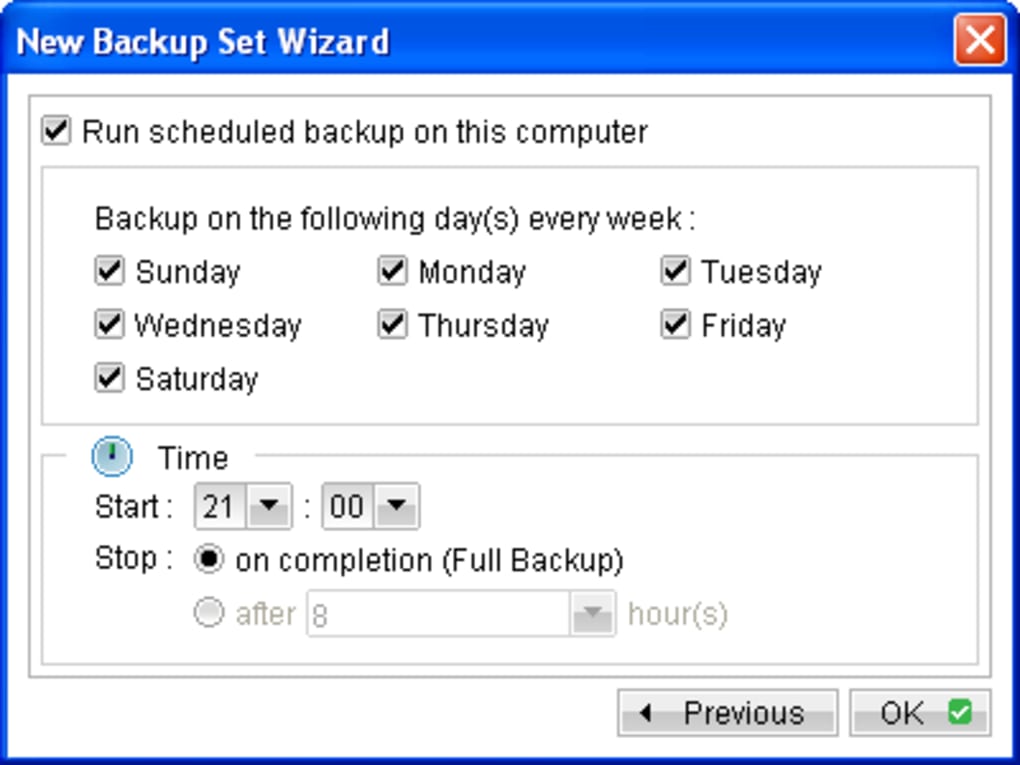
Home PC Backup est un service de sauvegarde cloud conçu spécifiquement pour les utilisateurs d’ordinateurs domestiques ayant une expérience technique limitée. Après avoir créé un compte sur le site du fournisseur, vous téléchargez un petit client de bureau qui s’exécute silencieusement sur votre machine Windows ou macOS. Le logiciel surveille automatiquement les dossiers que vous désignez — généralement Documents, Images, Musique et Bureau — et sauvegarde les fichiers nouveaux ou modifiés dans le centre de données sécurisé du fournisseur. Les sauvegardes peuvent être planifiées quotidiennement, hebdomadairement ou en continu, vous offrant la flexibilité d’équilibrer l’utilisation du stockage avec le niveau de protection souhaité.
Key Features
- Automatic Scheduling: Choose from daily, weekly, monthly, or continuous backup modes.
- Selective Folder Sync: Only the folders you mark are backed up, keeping storage costs predictable.
- One‑Click Restore: A visible “Restore” button instantly retrieves the latest backup to its original location.
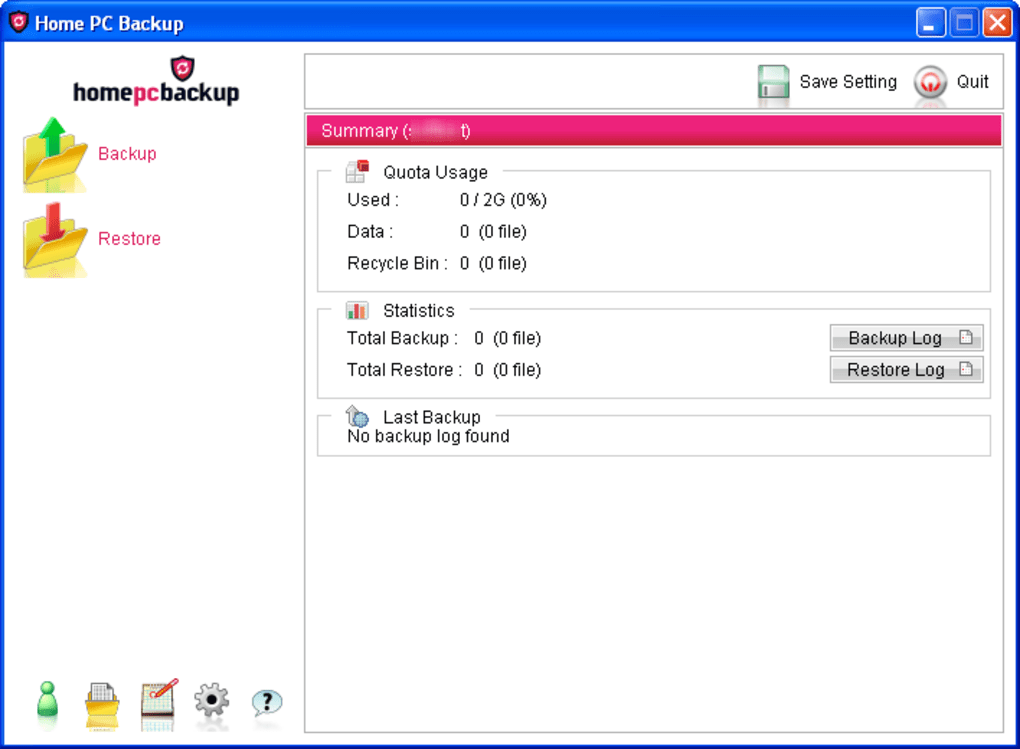
- Activity Log: Detailed logs are generated automatically, allowing you to review what was backed up and when.
- Secure Transmission: All data is encrypted in transit using TLS 1.2 and stored encrypted at rest.
- Cross‑Platform Cloud Access: Access your files from any web browser, making recovery possible even if your PC is completely unusable.
- Responsive Support: Email and telephone support are available for troubleshooting and account questions.
Pros
- Interface intuitive qui ne nécessite aucune connaissance préalable en sauvegarde.
- Options de planification flexibles pour les connexions à faible bande passante.
- Stockage cloud sécurisé avec chiffrement de bout en bout.
- Restauration rapide en un clic pour les utilisateurs non techniques.
- Support client utile accessible par téléphone et e‑mail.
Cons
- Absence de versionnage avancé et d’options de restauration granulaire présentes dans les outils d’entreprise.
- Pas de documentation intégrée ; les utilisateurs doivent compter sur les canaux de support pour obtenir de l’aide.
- Personnalisation limitée pour les utilisateurs avancés qui souhaitent des règles de sauvegarde détaillées.
- Les niveaux de prix ne sont pas affichés sur la page d’accueil, nécessitant une inscription pour les voir.
- Seuls Windows et macOS sont pris en charge ; aucun client natif Android ou iOS.
Installation, Setup, Compatibility & Frequently Asked Questions
Faire fonctionner Home PC Backup est conçu pour être un processus sans friction. Vous trouverez ci‑dessous un guide étape par étape qui vous accompagne de la création du compte, l’installation du client, la configuration initiale, jusqu’à la vérification d’une sauvegarde réussie. Le logiciel est compatible avec les systèmes d’exploitation de bureau les plus courants, garantissant que la majorité des utilisateurs domestiques puissent bénéficier de sa protection.
Installation Steps
- Create an Account: Visit the Home PC Backup website, click “Sign Up,” and provide a valid email address and payment method. You’ll receive a confirmation email with a link to activate your account.
- Download the Client: After activation, log in to the portal and click the “Download for Windows” or “Download for macOS” button, depending on your system.
- Run the Installer: Double‑click the downloaded installer file. Follow the on‑screen prompts—accept the license agreement, choose the default installation folder, and click “Install.”
- Log In to the Client: Once installation completes, the client launches automatically. Enter the email and password you created during sign‑up.
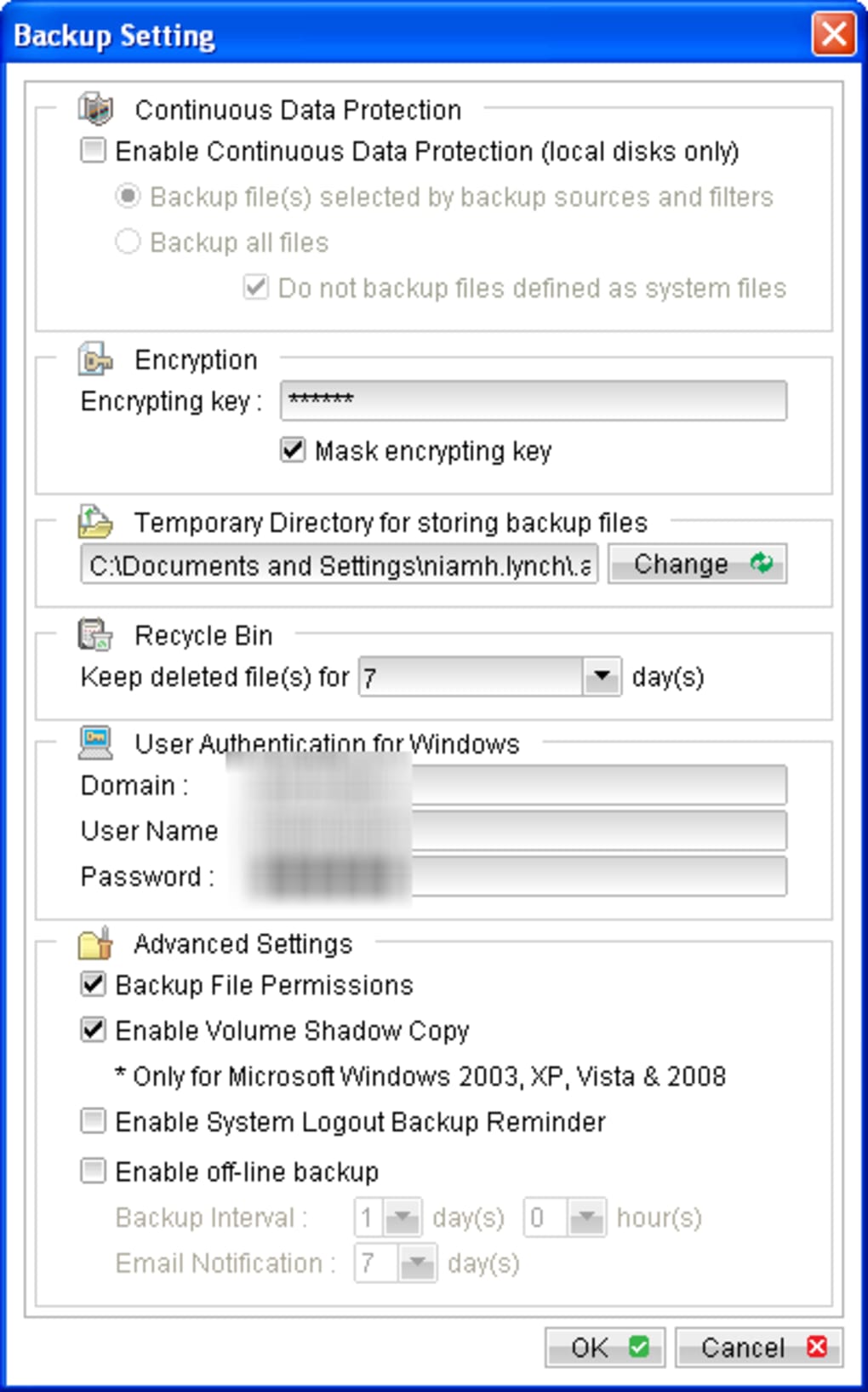
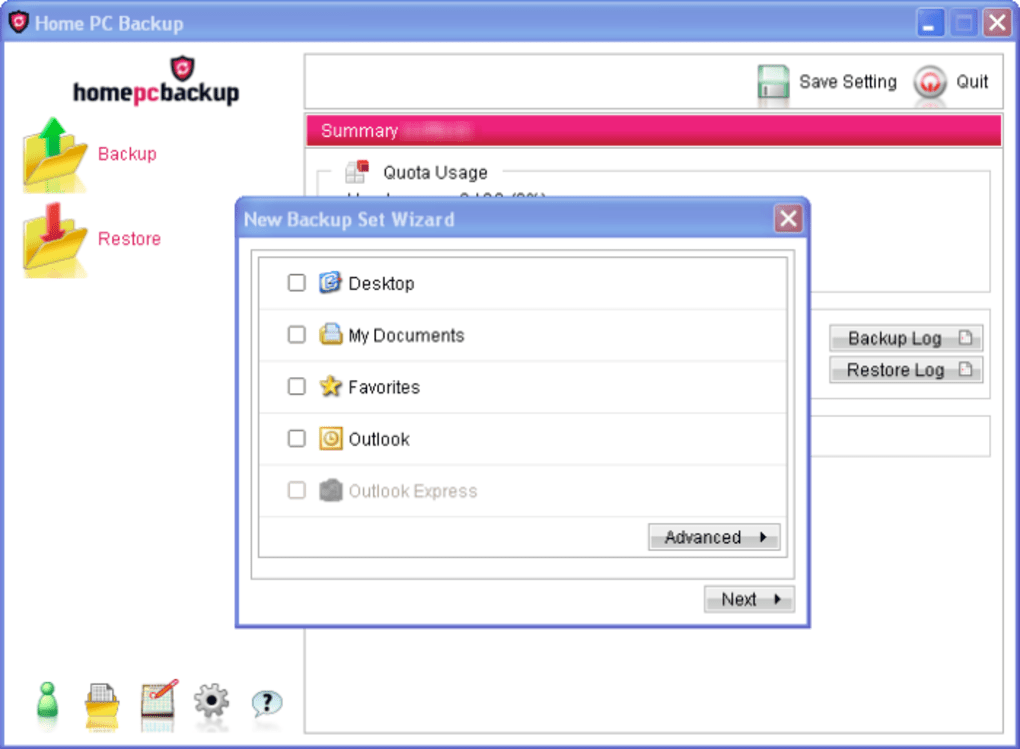
- Select Backup Sources: In the “Backup Settings” window, tick the folders you wish to protect (e.g., Documents, Pictures, Music). You can add custom folders by clicking “Add Folder.”
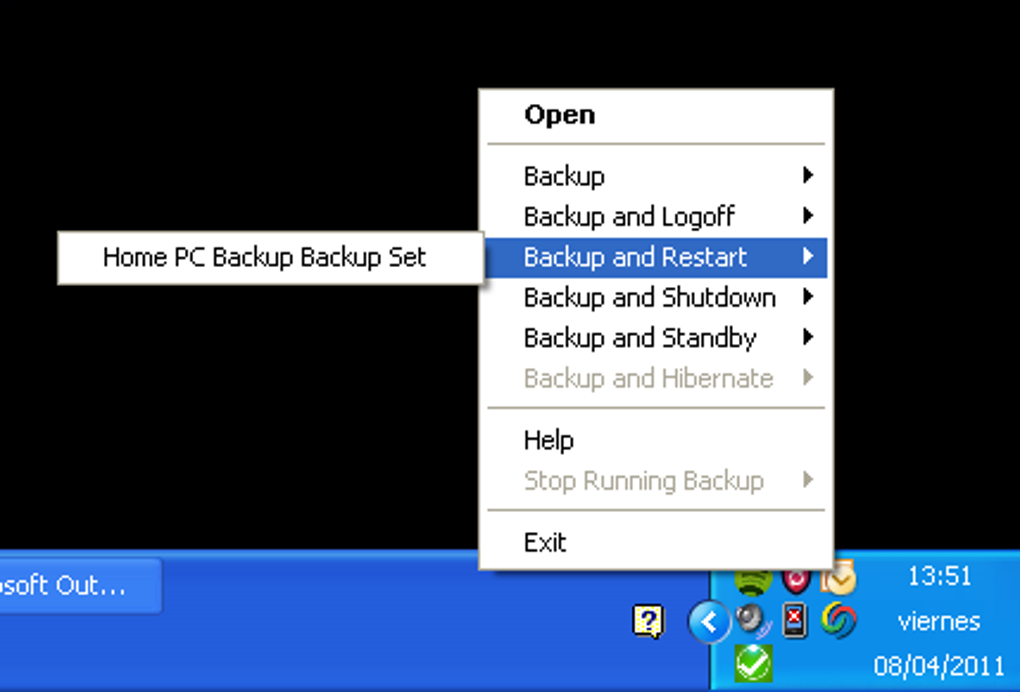
- Choose a Schedule: Pick a backup frequency—daily at a convenient hour, weekly on a chosen day, or continuous for real‑time protection.
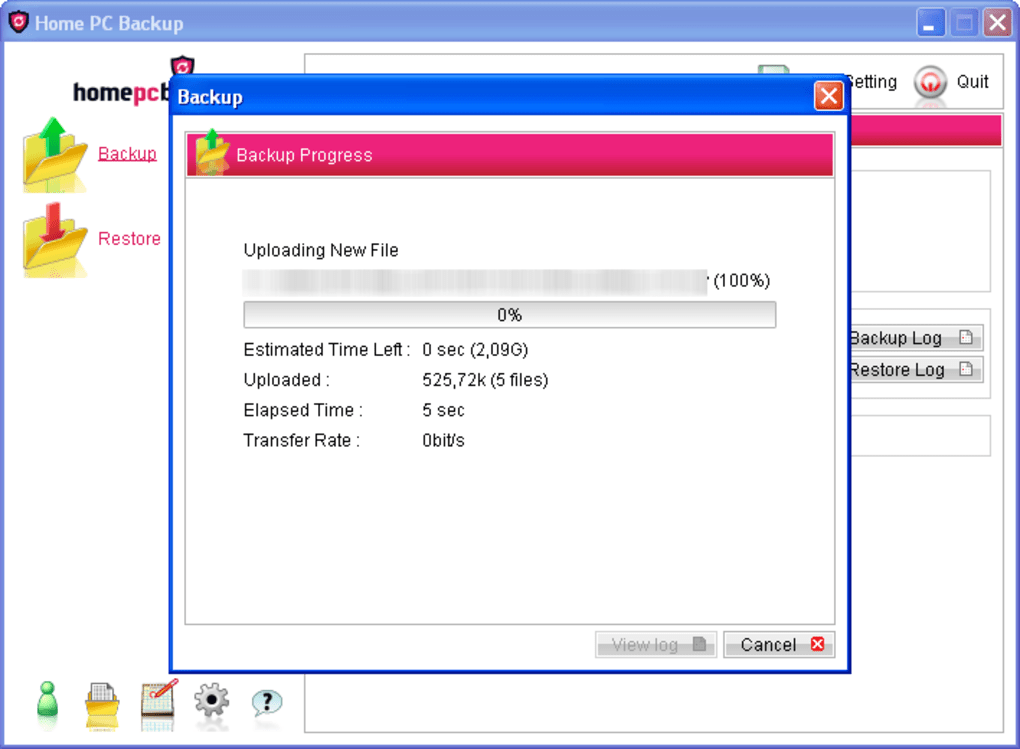
- Start the First Backup: Click “Run Backup Now” to initiate the initial sync. Depending on the amount of data, this may take several minutes to a few hours.
- Verify Completion: After the backup finishes, the client displays a green checkmark and logs the activity. You can also view the backup summary on the web portal.
Compatibility: Home PC Backup supports Windows 7, 8, 10, 11 (both 32‑bit and 64‑bit) and macOS 10.13 (High Sierra) and later. The client does not run on Linux, Chrome OS, Android, or iOS devices, but backed‑up files can be accessed via any modern web browser on those platforms.
Frequently Asked Questions
Can I back up external hard drives or USB sticks?
Yes. After installing the client, you can add any mounted drive as a backup source by clicking “Add Folder” and navigating to the external drive’s root directory. The software will treat it like any other folder, but keep in mind that continuous backup may be limited by the drive’s connection speed.
How secure is my data once it’s uploaded?
All files are encrypted with AES‑256 encryption before they leave your computer, and the transmission uses TLS 1.2. The encrypted files are stored on the provider’s servers, and only you possess the decryption keys needed for restoration.
What happens if I exceed my storage quota?
When you approach your plan’s limit, the client will pause further backups and display a warning in the UI. You can either upgrade to a larger plan via the web portal or manually delete older backups to free space.
Can I restore files to a different computer?
Absolutely. Log in to the Home PC Backup web portal on any computer, select the files you need, and download them directly. If you install the client on a new machine, you can also use the “Restore” button to pull the latest backup onto that device.
Is there a free trial or a money‑back guarantee?
Home PC Backup offers a 14‑day free trial that gives you full access to all features. If you decide the service isn’t right for you, you can cancel within the trial period for a full refund. After the trial, the service moves to a paid subscription model.
Conclusion – Should You Download Home PC Backup?
Home PC Backup delivers exactly what its name promises: a simple, secure, and automatic backup solution for everyday home users. Its strength lies in the streamlined interface, flexible scheduling, and reliable cloud storage that protects files without demanding technical expertise. While power users may miss advanced versioning, granular restore points, and cross‑platform desktop apps, the tool’s focus on accessibility makes it an excellent entry point for families, seniors, and anyone who wants “set‑and‑forget” protection.
If you value a straightforward experience, responsive phone support, and the peace of mind that comes from encrypted off‑site storage, Home PC Backup is a solid investment. The 14‑day free trial lets you test the service without commitment, and the subscription pricing is competitive for the amount of data you can store. Conversely, if you require sophisticated backup policies, Linux compatibility, or deep file‑level controls, you might explore alternatives such as CrashPlan, Backblaze, or Oops!Backup.
Ready to safeguard your digital memories? Click here to download Home PC Backup and start your free trial today. With just a few minutes of setup, you’ll have a reliable safety net that works quietly in the background, allowing you to focus on what matters most—enjoying your photos, music, and documents without fear of loss.
Guides et tutoriels
Comment installer Home PC Backup
- Cliquez sur le bouton Télécharger ci-dessus.
- Une fois redirigé, acceptez les conditions et cliquez sur Installer.
- Attendez la fin du téléchargement de Home PC Backup sur votre appareil.
Comment utiliser Home PC Backup
Ce logiciel est principalement utilisé pour les fonctionnalités décrites ci-dessus. Ouvrez l'application après l'installation pour explorer ses capacités.
Avis des utilisateurs
Aucun avis pour le moment. Soyez le premier à partager votre expérience.
Vous aimerez peut-être aussi
plus
Llama 2
Free-to-use large language model As the new addition to Meta’s arsenal of langua...

NotebookLM
Revolutionizing the note-taking and idea-generation process NotebookLM is an exp...

Github co pilot
AI-inspired software development and coding platform GitHub Copilot is a browser...

Google Gemma
Google’s lightweight AI models Introducing Google Gemma , a family of cutting-ed...

AI Image Enlarger
A free app for Windows, by ai-image-larger. AI Image Enlarger is a free software...

DALL E
AI-driven text-to-image transformation engine DALL·E is a free graphic and desig...